Memory Scanner
Quickly find variables used in a game—health, ammo, gold—and change them. First scan, change value, next scan, lock or edit.
Free · Windows & Mac
Scan memory, change values, and take full control of single-player games. Make them harder or easier, debug and script—all for free. Learn how games work from the inside out.
Age 18+ only. For private and educational use. Please read the FAQ before use.
Overview
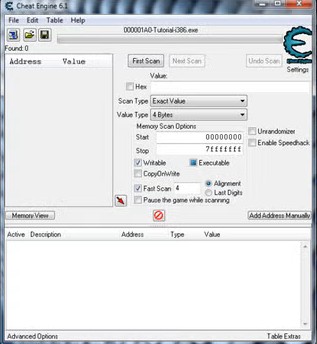
Attach to any process, scan memory, and modify values. The interface shows the address list, memory viewer, and scan options—all in one place.
Quickly find variables used in a game—health, ammo, gold—and change them. First scan, change value, next scan, lock or edit.
Debugger, disassembler, and assembler for advanced users. Trace execution, set breakpoints, and inject code.
Speed up or slow down game time. Build and share trainers with the built-in trainer maker.
Extensive Lua support. Write scripts and extensions, share .CT tables and automation with the community.
DBVM extends capabilities on supported systems. Right-click the CE logo to see if your system supports it.
Inspect memory and understand how programs work. Source code available for learning; use responsibly and legally.
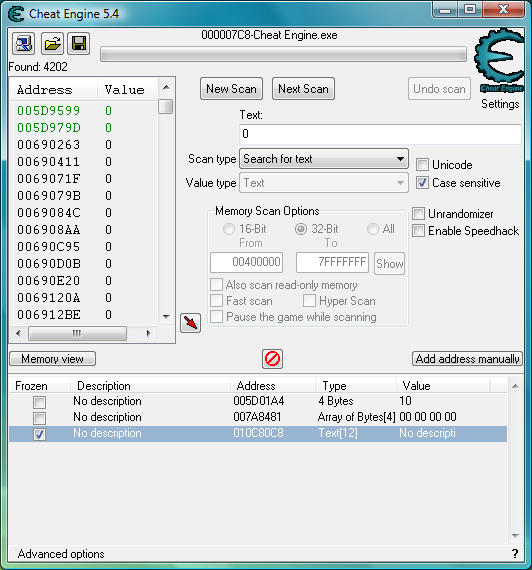
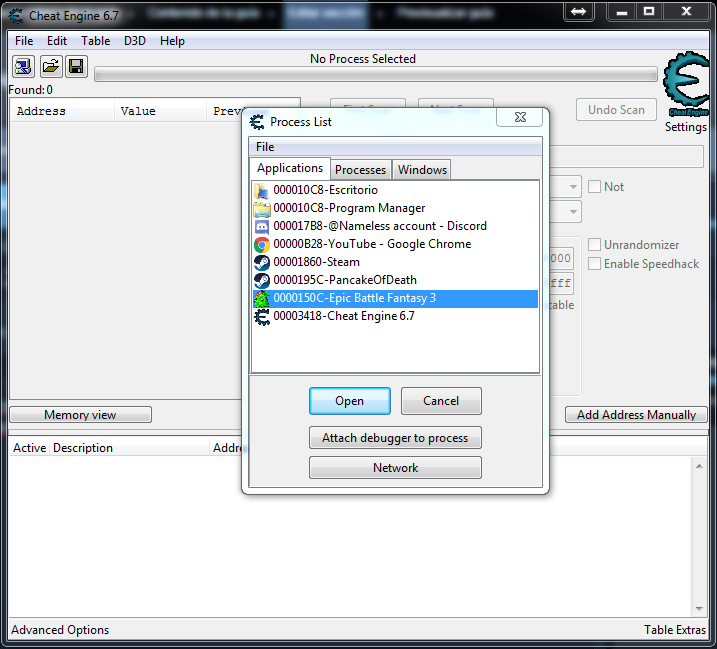
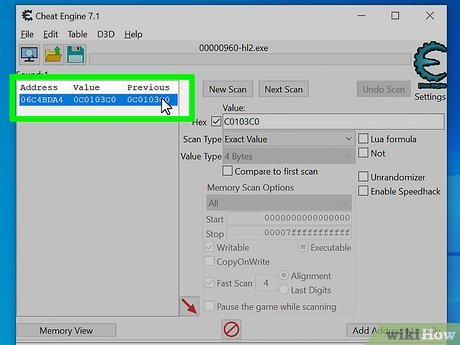
Screenshots of the interface, scanning, and using CE with games.
February 12, 2025
Cheat Engine 7.6 is now available for everyone. Includes improvements and fixes from the 7.5 cycle. Patreons had early access; Mac and public builds are available from the downloads page.
Go to DownloadsHaving trouble installing or running CE? See the troubleshooting guide.
Single-player games are yours to enjoy the way you like. If a game is too hard, reduce damage or give yourself more resources. If you want a challenge, limit your health or add constraints. Cheat Engine puts you in control of values the game stores in memory—health, ammo, money, speed—so you can tailor the experience without mods or external trainers.
Many users also use CE to speed up grinding (speedhack or editing resources) or to explore content that would otherwise take dozens of hours. All of this is done locally; no server is involved.
Cheat Engine is an excellent tool for learning how programs and games work. You see how values are stored in memory, how the CPU executes code, and how to find and change data. Reverse engineering with CE teaches assembly, memory layout, and debugging—skills useful in security, game development, and software analysis.
Developers use CE to test their own games (finding and fixing exploits, checking balance) and to understand third-party software. The source code is available for study, and the community shares techniques on the forum and wiki.
Cheat Engine is used by a wide range of people for different reasons. Understanding who uses it helps you find the right tutorials and community support.
Cheat Engine is designed for games and applications that run locally. In single-player, the game state lives on your PC—health, ammo, gold are in your process’s memory. CE can find and change them without affecting anyone else. In online or multiplayer games, the server is the source of truth. Modifying your client does not change server-side data, can cause desync or crashes, and almost always violates the game’s terms of service. Using CE in online games can get your account permanently banned. Stick to single-player and offline modes.
Once you’re comfortable finding and freezing values, you can go further. “Find out what writes to this address” shows you the exact instruction that updates the value; from there you can replace it with your own code (NOP it out or inject new logic) using the Auto Assembler. That’s how infinite ammo, no recoil, and other code-based cheats are built. The debugger lets you set breakpoints, step through code, and inspect registers and memory. The wiki has step-by-step code injection and AOB tutorials. See Features for the full picture.
For full guidelines, see Legal & Ethical Use.
New to Cheat Engine? Follow these steps to go from zero to your first cheat.
Cheat Engine’s core feature is scanning a process’s memory for values that match what you enter. Games store health, ammo, gold, and other data in RAM; the scanner lets you find those locations and change them.
You tell CE the value type (e.g. 4 bytes or float) and the value you see in the game (e.g. health = 100). Click “First Scan.” CE searches the process memory and lists every address that currently holds that value. There are often thousands of matches, so you narrow them down with “Next Scan.”
Change the value in the game (e.g. take damage so health becomes 80). In CE, enter 80 and click “Next Scan.” CE keeps only addresses that now contain 80. Repeating this a few times usually leaves one or a handful of addresses—that’s your health (or ammo, gold, etc.). Double-click to add them to the address list.
Different situations call for different scan conditions. Choosing the right one speeds up your search and avoids dead ends.
Games store numbers in different formats. If your scan returns nothing or wrong results, the value type is often the cause.
When in doubt, try 4 Bytes and Float first. Wrong type gives no results or thousands of false positives. See the Glossary for more.
After you find an address and save your table, you might restart the game and find the cheat no longer works. That’s because the same variable can live at a different memory address each time (ASLR and dynamic allocation).
A pointer is a chain of addresses: one address holds the next, and the last one holds your value. That chain often stays valid across restarts. Cheat Engine’s pointer scan finds these chains. You run it once (it can take several minutes), then add a working pointer to your table so the cheat works every time you open the game. The wiki has full pointer tutorials.
CE keeps writing the current value back to the address, so the game can’t change it. Use for infinite health, unlimited ammo, or any value you want to lock. Right-click the address → enable Freeze.
You change the value once (e.g. set gold to 9999). The game can overwrite it later. Use for one-off boosts or testing. You can also set a value and then freeze it so the game doesn’t overwrite it.
Speedhack changes how fast the game thinks time is passing. You can slow the game down (useful for difficult sections or analysis) or speed it up (to grind faster in single-player). It works by hooking time-related APIs; many single-player games respond well. Enable it from the Speedhack window after attaching. Do not use in online games—it can cause desync or detection. Full details on the Features page.
Once you have addresses and scripts in a cheat table, you can turn it into a standalone trainer (.exe) with File → Create Trainer. The trainer has a simple window (checkboxes, hotkeys) so others can use your cheats without installing Cheat Engine or loading the table. Share only from trusted sources; trainers from unknown sites can contain malware.
Cheat Engine has built-in Lua support. You can write scripts to automate scanning, create custom UI, auto-attach to processes, and interact with memory and the address list. Many forum extensions and advanced tables use Lua. The wiki documents the CE Lua API. Learning Lua basics opens the door to powerful custom tools.
DBVM (Debugger Virtual Machine) is a hypervisor that runs below the OS and extends what CE can do—especially on 64-bit Windows. It enables features like ultimap (execution tracing) and stronger debugging. Loading DBVM requires a compatible CPU and booting with the DBVM loader. Most users never need it; CE works fully without DBVM. Right-click the CE logo → About to see if your system supports it.
Many games are made with Unity (C# / Mono). After attaching, use Mono → Activate mono features. You can then browse the game’s classes and fields by name (e.g. Player.health) and add them to the address list without scanning. For some values you still scan normally. The wiki has Unity-specific guides.
Install or run issues? See Troubleshooting and FAQ.
Cheat Engine runs on Windows (32-bit and 64-bit) and macOS. You need a compatible OS and enough RAM for the processes you attach to. For DBVM (optional), you need supported hardware and to boot with the DBVM loader. Current builds and requirements are on the Downloads page.
Many antivirus programs flag Cheat Engine because it reads and writes other processes’ memory and can inject code—the same capabilities some malware uses. For the official build, this is a false positive. Add an exclusion for the CE folder or temporarily disable the antivirus during install. See Troubleshooting for details. Only download CE from trusted sources; avoid unknown mirrors.
A cheat table is an XML file that stores addresses, scripts, descriptions, and options. You save your work as a .CT file (File → Save) and load it later (File → Load). Tables can be shared; the forum has game-specific tables. Only open .CT files from sources you trust—they can contain Lua and assembly that runs when you load them.
You can assign a key combination (e.g. Ctrl+H) to any address or script. Right-click the address → Set hotkeys. Choose “Toggle” to enable/disable the cheat, or “Set value” to write a number when pressed. Hotkeys work when the game is in the foreground and CE is in the background, so you don’t need to alt-tab during play.
Development is supported by the community. On Patreon, supporters often get early access to Windows builds and a clean installer without bundled software offers. Donations help with development and server costs.
Quick answers to the most common questions. Full list on the FAQ page.
Address, pointer, scan, freeze, AOB, cheat table, trainer—what do they mean? The Glossary has full definitions. Here’s a quick taste: an address is a location in memory; a pointer is a chain of addresses leading to your value; freeze keeps a value from changing; an AOB (array of bytes) finds code by pattern for scripts that survive game updates.
Step-by-step guides, version history, and legal info.