Tutorials
Here you'll find links to helpful tutorials and information about Cheat Engine. New users should also complete the built-in tutorial (in your programs list after installing) through at least step 5.
Beginner Learning Path
Follow this order if you are new to memory editing and Cheat Engine.
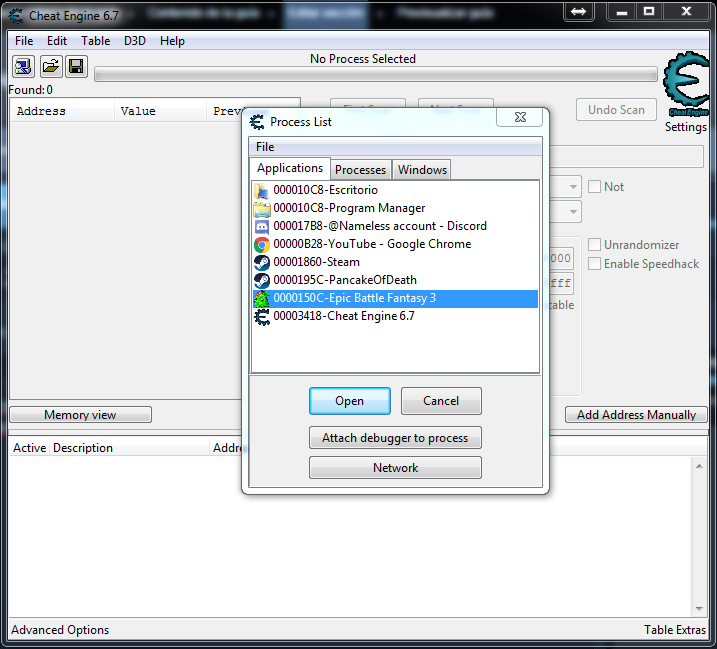
- Install and run the built-in tutorial. From the Start Menu open “Cheat Engine Tutorial.” It is a small program that teaches scanning step by step. Complete steps 1–5 minimum. You will learn: attaching to a process, choosing value type, first scan, changing the value in the “game,” next scan, and adding the address to the list.
- Try exact value scans. Open a single-player game. Find a value you can see (e.g. health 100, gold 500). In CE attach to the game, set value type (4 bytes or float are common), type the value, click First Scan. Change the value in the game (take damage, spend gold), then in CE enter the new value and click Next Scan. Repeat until few addresses remain. Add one to the list and try changing or freezing it.
- Try unknown value scans. For values you cannot see (e.g. a hidden counter), use “Unknown initial value,” then “Decreased value” or “Increased value” or “Changed value” on next scans. This is covered in the built-in tutorial later steps and on the wiki.
- Learn pointers. Addresses often change when you restart the game. Use the wiki “Pointers” tutorial and CE’s pointer scan to find a stable pointer path. Save it in your table so the cheat works every time.
- Introduce Auto Assembler. When you want to change code (e.g. infinite ammo) instead of just freezing a value, read the wiki “Auto Assembler basics” and “Code injection.” Start with simple templates and modify them.
- Explore Lua (optional). For automation and custom tools, learn Lua basics and the CE Lua API on the wiki. Many forum tables use Lua scripts.
Forum & Wiki Tutorials
- Tutorial with Pinball for Windows XP Classic step-by-step using Pinball.
- Tutorial Steps 1–7 (Explained in more detail) Clearer walkthrough of the built-in tutorial steps.
- Auto Assembler: Enabled while key down (see wiki) How to enable a cheat only while a key is held.
- Custom Scan: Auto multiply by 8 (see wiki) Custom scan and display formatting.
Cheat Engine Wiki – Tutorials
The Cheat Engine Wiki has many more guides. Highlights:
Video and External Resources
The wiki has a Video Tutorials page. You can also search for “Cheat Engine tutorial” on video platforms; look for recent videos that cover your game or topic. Always use trusted sources when downloading tables or tools.
Tips for Learning
- • Start with simple values (health, ammo, money) in a game you know well.
- • Use the correct value type: 4 bytes for many integers, Float for decimals. Wrong type gives wrong or no results.
- • If you get too many results, do more next scans or use “Exact value” when you know it.
- • Save your work in a .CT file so you don’t lose addresses when you close CE.
- • Read the Glossary for terms like pointer, AOB, and freeze.
If you run into problems, check Troubleshooting and FAQ.
Common Mistakes to Avoid
- Wrong value type: Health might be stored as 4 bytes, float, or double. If exact scan gives nothing, try another type.
- Wrong process: Attach to the game .exe, not the launcher or Steam.
- Expecting addresses to stay: After restarting the game, direct addresses usually change. Use pointer scan and save the pointer in your table.
- Using CE in online games: Do not use CE to cheat in multiplayer. It violates terms of service and can get you banned. Use it only for single-player or with permission.
- Opening untrusted .CT files: Cheat tables can run Lua and assembly. Only load tables from sources you trust.
From Scanning to Code Injection
After you can find and freeze values, the next step is to find the code that updates them. Use “Find out what writes to this address” on your value; when the game writes to it, CE will show you the instruction. You can then open that in the disassembler, replace it with NOPs or your own code (Auto Assembler), and save the script in your table. The wiki has step-by-step code injection and AOB tutorials. The built-in tutorial steps 6 and 7 introduce pointers and code. Take your time and experiment on the tutorial process before trying on a real game.
Unity and Mono Games
For games made with Unity or other Mono/.NET runtimes, enable Mono from the CE menu after attaching. You can then browse classes and fields by name (e.g. PlayerController.health) and add them to the address list without scanning. For some values you still need normal scans. The wiki has Mono-specific tutorials. Make sure you use the correct bitness (32- or 64-bit CE for 32- or 64-bit game).
Built-in tutorial
After installing Cheat Engine, open the built-in tutorial from the Windows Start Menu (or Mac equivalent). Completing at least steps 1–5 will give you a solid foundation for scanning and changing values.